> ## Documentation Index
> Fetch the complete documentation index at: https://docs.shipthing.com/llms.txt
> Use this file to discover all available pages before exploring further.
# 配置
> 为您的应用程序配置计费。
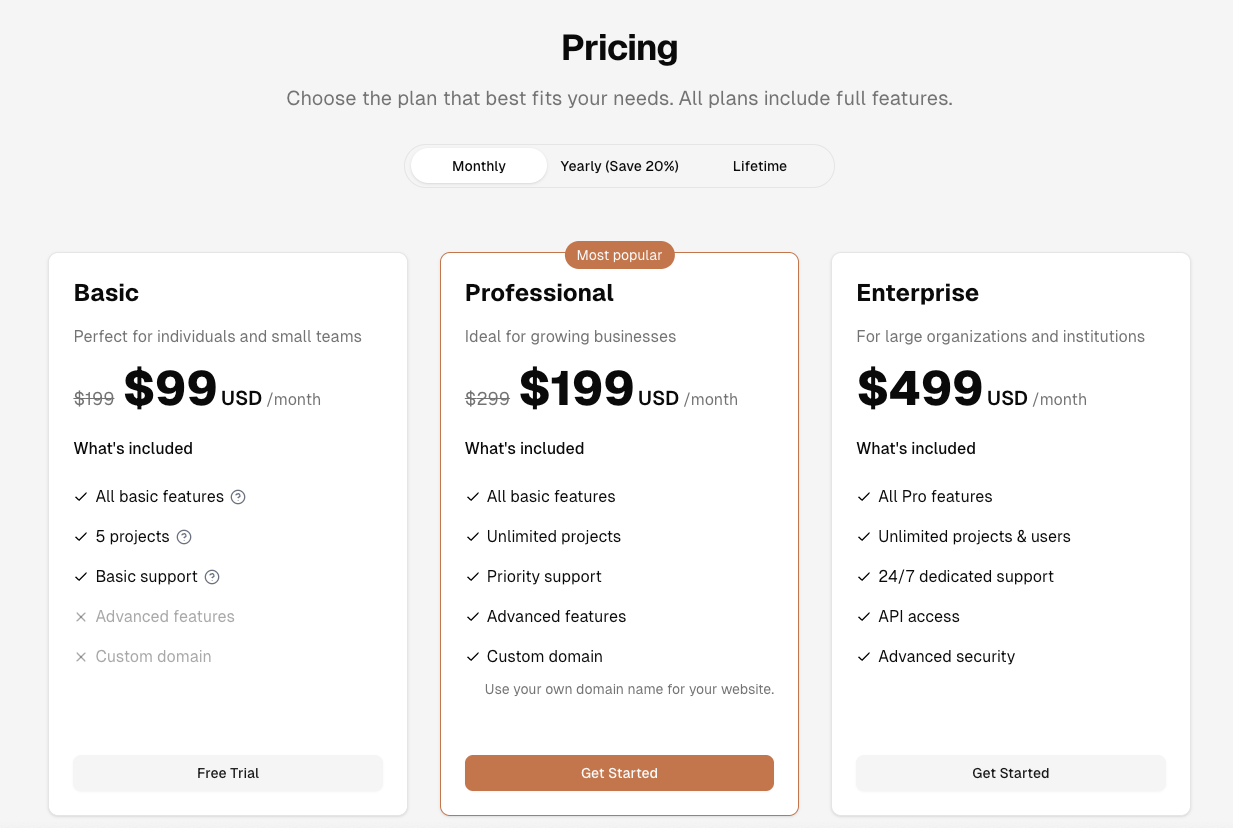 计费配置架构复制了您的计费提供商的架构,以便:
* 我们可以在UI中显示数据(价格表、计费部分等)
* 创建正确的结账会话
* 使某些功能正常工作 - 例如基于功能的访问
它对所有计费提供商都是通用的,并放置在`apps/web/config.ts`中。我们可以在`packages/design-system/types/pricing.d.ts`包中看到该架构。让我展示一些重要部分:
## 计费模型
```ts theme={"system"}
export type PaymentType = 'one-time' | 'month' | 'year';
```
这是您产品的计费模型。它可以是以下之一:
* `one-time`: 产品是一次性购买。
* `month`: 产品是订阅制,每月续订。
* `year`: 产品是订阅制,每年续订。
## 价格
```ts theme={"system"}
export interface PricingItem {
title: string;
price: number;
priceId: string;
description?: string;
featuresTitle?: string;
actionTitle?: string;
features?: Feature[];
interval: PaymentType;
isPopular?: boolean;
badge?: BadgeProps;
group?: string;
credits?: number;
originalAmount?: number;
validMonths?: number;
amount?: number;
onMmount?: number;
attribute?: Record; // 您的自定义数据
}
```
`priceId`是您的计费提供商中的价格ID。它用于创建结账会话并在UI中显示正确的价格。
来自提供商的`priceId`(例如Stripe)或`variantId`(例如Lemon Squeezy),有些提供商使用`productId`而不是`priceId`。只需使用`priceId`来存储它。
计费配置架构复制了您的计费提供商的架构,以便:
* 我们可以在UI中显示数据(价格表、计费部分等)
* 创建正确的结账会话
* 使某些功能正常工作 - 例如基于功能的访问
它对所有计费提供商都是通用的,并放置在`apps/web/config.ts`中。我们可以在`packages/design-system/types/pricing.d.ts`包中看到该架构。让我展示一些重要部分:
## 计费模型
```ts theme={"system"}
export type PaymentType = 'one-time' | 'month' | 'year';
```
这是您产品的计费模型。它可以是以下之一:
* `one-time`: 产品是一次性购买。
* `month`: 产品是订阅制,每月续订。
* `year`: 产品是订阅制,每年续订。
## 价格
```ts theme={"system"}
export interface PricingItem {
title: string;
price: number;
priceId: string;
description?: string;
featuresTitle?: string;
actionTitle?: string;
features?: Feature[];
interval: PaymentType;
isPopular?: boolean;
badge?: BadgeProps;
group?: string;
credits?: number;
originalAmount?: number;
validMonths?: number;
amount?: number;
onMmount?: number;
attribute?: Record; // 您的自定义数据
}
```
`priceId`是您的计费提供商中的价格ID。它用于创建结账会话并在UI中显示正确的价格。
来自提供商的`priceId`(例如Stripe)或`variantId`(例如Lemon Squeezy),有些提供商使用`productId`而不是`priceId`。只需使用`priceId`来存储它。