> ## Documentation Index
> Fetch the complete documentation index at: https://docs.shipthing.com/llms.txt
> Use this file to discover all available pages before exploring further.
# Vercel
> 如何将ShipThing部署到Vercel。
本指南将展示如何将您的ShipThing应用程序部署到[Vercel](https://vercel.com/)。
更多部署指南请阅读我们的博客:
## 部署到Vercel
Vercel是部署Next.js应用最简单的方式。作为Next.js背后的公司,它对Next.js提供一流的支持。
## 设置Vercel账户
要在Vercel上托管您的项目,首先需要[创建账户](https://vercel.com/signup)。
## 连接Git仓库
注册后,系统会提示您导入Git仓库。选择您项目的Git提供商并将您的Git账户与Vercel连接。
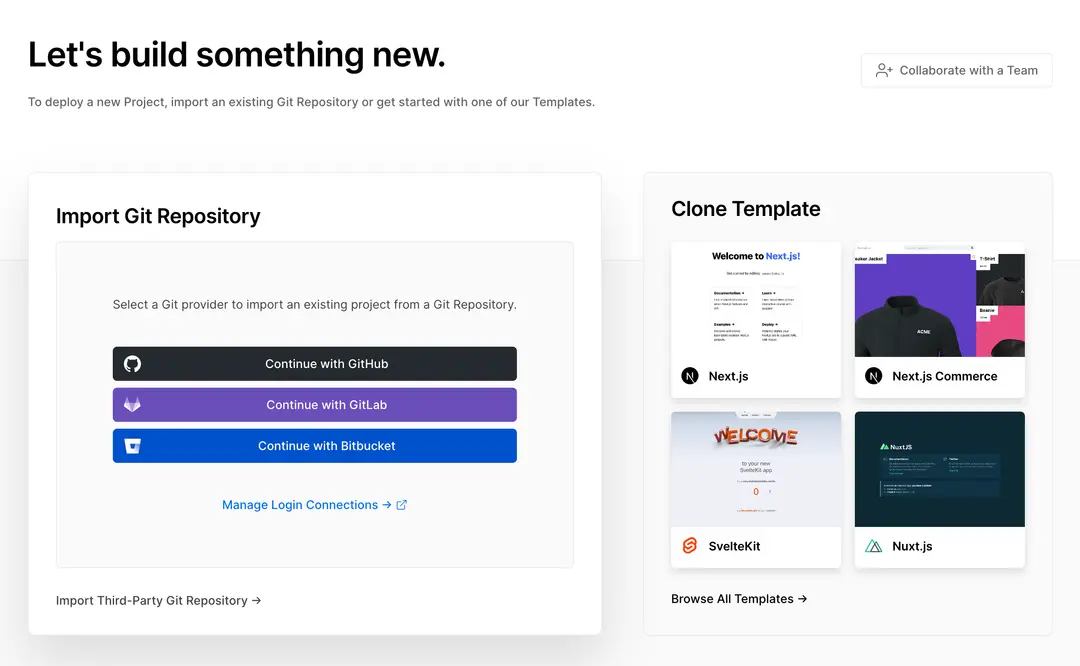 现在您将看到所有项目的列表。选择要部署的项目并点击**Import**按钮。
然后点击Deploy按钮,您的**项目**将被部署。
## 环境变量
如果您在Vercel上部署,我们建议利用[团队环境变量](https://vercel.com/docs/concepts/projects/environment-variables#team-environment-variables)功能。
## 集成
我们还建议安装[BetterStack](https://vercel.com/integrations/betterstack)和[Sentry](https://vercel.com/integrations/sentry)集成。这将处理相关的[环境变量](/zh/env)。
现在您将看到所有项目的列表。选择要部署的项目并点击**Import**按钮。
然后点击Deploy按钮,您的**项目**将被部署。
## 环境变量
如果您在Vercel上部署,我们建议利用[团队环境变量](https://vercel.com/docs/concepts/projects/environment-variables#team-environment-variables)功能。
## 集成
我们还建议安装[BetterStack](https://vercel.com/integrations/betterstack)和[Sentry](https://vercel.com/integrations/sentry)集成。这将处理相关的[环境变量](/zh/env)。